Don't Go Breaking My Heart
Download File
Checking your FSEQ quota...
FSEQ library quota is isolated from MP3 conversion and AI Studio credits.
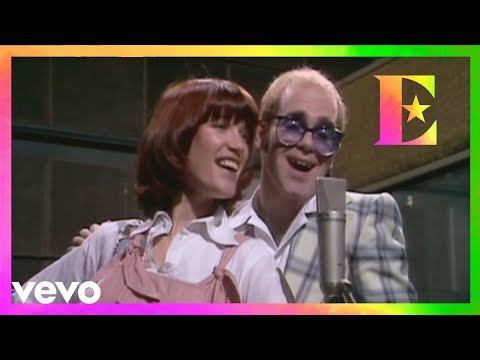
Music Video
3D Light Show Preview
How to Play This Light Show on Your Tesla
- Download the Don't Go Breaking My Heart .fseq file above, plus the song audio as MP3 or WAV.
- Format a USB drive (FAT32 or exFAT) and create a folder named
LightShowat its root. - Copy both files into that folder, renamed to
lightshow.fseqandlightshow.mp3(or .wav) — the names must match. - Plug the drive into your Tesla, open Toybox → Light Show, and tap Schedule Show.
Works on Model 3, Model Y, Model S and Model X with the Light Show feature (software 2021.44.25 or newer).
Song Facts
Light Show Analysis
About the Track
The “Don't Go Breaking My Heart” video was shot all in one take with a three-camera setup by Mike Mansfield. During the instrumental section, Elton attempts to teach Kiki a version of the “hand…
About the Artist

Sir Elton Hercules John is a British singer, songwriter and pianist. His music and showmanship have had a significant, lasting effect on the music industry, and his songwriting partnership with the lyricist Bernie Taupin is one of the most successful in history.
This 4:17 track produces 12,850 light frames. How Tesla Light Shows work →
More by Elton John
View all Elton John light shows →Want a unique version? AI Studio choreographs lights to lyrics, melody, and mood — no two shows are alike.