Tesla just quietly upgraded the way its navigation works — and most owners probably haven't noticed. A new feature called Preferred Routes is rolling out to Tesla vehicles in the United States, and it does something simple but genuinely useful: it remembers which roads you actually take, not just the fastest ones on paper.
What makes this interesting is how it arrives. Preferred Routes is delivered through a map data update tagged 2026.26 — not the 2026.26 Summer Update software release that's been making headlines. You don't need the full summer firmware rollout. You don't need Premium Connectivity. You just need to drive.
How Preferred Routes Works
The mechanics are straightforward. Each time you navigate to a familiar destination, your Tesla tracks which turns you actually make. If you consistently take a different path than the one the system originally suggested — maybe you prefer a quieter back road over the main highway, or you always cut through that neighborhood to avoid the light — the car notes it.
Once you've driven to the same destination a handful of times, the navigation begins surfacing a "Your Route" option alongside the standard fastest-route suggestions. If your preferred path doesn't add significantly more travel time than the fastest alternative, Tesla's system will prioritize showing it to you.
"For a more personalized experience, navigation now prioritizes routes that you've taken before." — Tesla 2026.26 release notes
The data handling is worth noting. Your vehicle processes route patterns locally first, then sends anonymized path information to Tesla's servers. Tesla runs its own navigation infrastructure — independent of Google Maps — which allows the system to factor in Supercharger placement and Tesla-specific routing logic that third-party mapping services can't provide.
What This Looks Like on the Screen
When Preferred Routes activates for a destination you've visited multiple times, you'll see a new entry in the route selection list labeled "Your Route." It appears alongside other route options like Fastest, Eco, and your manual Supercharger stops.
If your habitual route is close in time to the fastest option — within a few minutes — Tesla's navigation may lead with it automatically. The system is designed to suggest, not override: you still have full control over which route you pick.
Compatibility and Requirements
| Requirement | Status |
|---|---|
| Car software 2026.26 Summer Update | Not required |
| Map data update 2026.26 | Required |
| Premium Connectivity subscription | Not required |
| Online routing (default setting) | Must be enabled |
| Supported hardware | All Intel or AMD infotainment units |
| Region availability | United States only (as of August 2026) |
The broad hardware compatibility is significant. Intel and AMD infotainment covers the vast majority of Tesla vehicles on the road today, meaning this isn't gated behind a recent vehicle purchase or an expensive subscription tier.
Why Tesla Built Its Own Navigation Instead of Relying on Google
For years, Tesla has been migrating its navigation away from reliance on Google Maps. The Preferred Routes feature illustrates exactly why. Route personalization tied to Supercharger placement, charging stops mid-trip, and Tesla-specific road data simply can't be layered on top of a third-party mapping service the same way.
When your Tesla knows you prefer the coastal route and you're running low on charge, it can factor both preferences together — suggesting your usual path with a Supercharger stop inserted — in a way that Google Maps routing can't do natively. That vertical integration is the underlying reason Tesla invested in building its own routing infrastructure.
To verify you have the latest map data, check Controls → Software → Navigation Data on your touchscreen. Map updates roll out silently in the background without a notification.
The Bottom Line for Tesla Drivers
Preferred Routes is one of those features that sounds modest until you realize how it compounds over time. After a few weeks of commuting, your Tesla should start feeling like it actually knows you — defaulting to the roads you prefer rather than the ones an algorithm thinks you should take.
The fact that it works without the Summer Update and without Premium Connectivity means most US-based Tesla owners can access it today, without waiting in queue for a major firmware rollout. If you haven't seen "Your Route" appear yet, keep driving your regular routes — the system needs a few repetitions before it starts making suggestions.
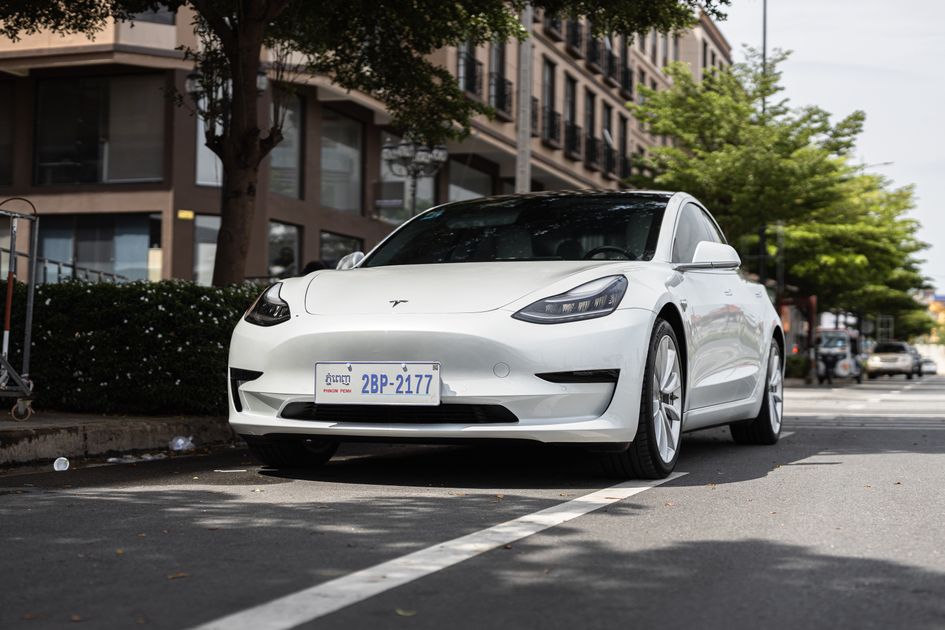
Photo: Tesla Model 3 on city street / Pexels