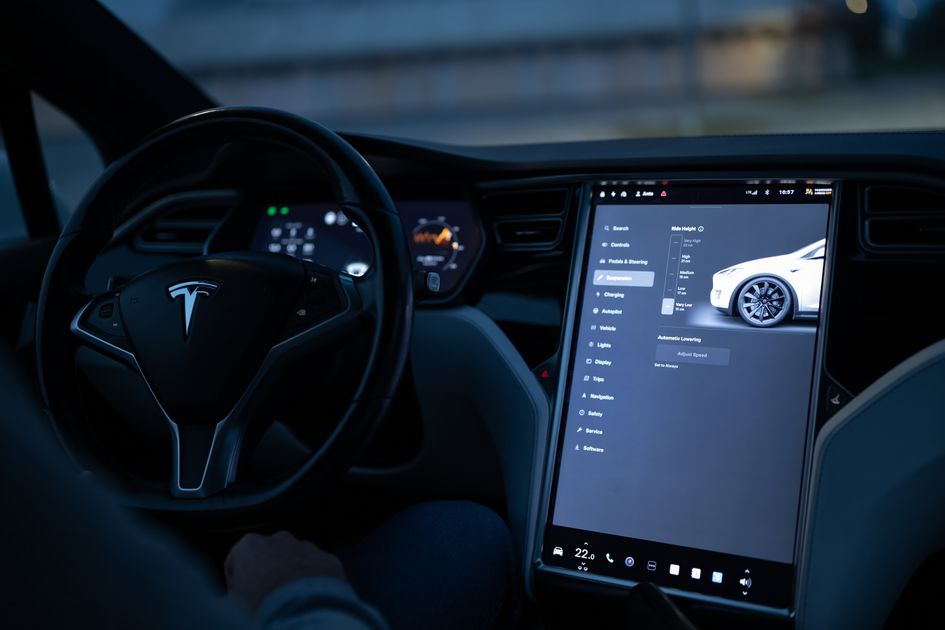
Tesla started pushing software version 2026.32.3 on September 9, 2026, and owners are already noticing three welcome quality-of-life changes on their touchscreens: a redesigned wheel selection interface, deeper Apple Music integration, and a native ad blocker baked into the vehicle browser. The rollout is staged — roughly 12 percent of the measurable fleet had received it within days of release — so if your car hasn't chimed yet, it's on its way.
These aren't the flashiest features Tesla has ever shipped, but they're exactly the kind that change how you interact with your car every single day. Here's what to expect when your vehicle updates.
Pick Your Wheels on a Visual Grid
The old wheel configuration screen was a plain-text dropdown — functional, but easy to overlook. The 2026.32.3 redesign replaces it with a large visual grid that shows full-color renders of every available style. Each option displays the wheel in both bare and aero-cover configurations side by side, so you can see precisely how the car will look before committing.
The change matters beyond aesthetics. Aerodynamic wheel covers affect real-world efficiency, and the Energy app will reflect that difference in range estimates once you lock in a selection. If you've ever toggled aero covers on and off just to compare range projections, this interface makes that comparison immediate and visual.
"Choose from new wheel options to customize the appearance of your Tesla."
— Tesla 2026.32.3 official release notes
The feature is available worldwide on Model S, 3, X, Y, and Cybertruck.
Apple Music Gets a Library Tab
Apple Music users gained something that has been missing since the integration launched: a direct path to their personal collection. Previously, searching Apple Music in the car returned global catalog results, forcing you to remember the exact title of something you already own. Now there's a Library tab inside the in-car search flow.
| Before 2026.32.3 | After 2026.32.3 |
|---|---|
| Search returns global Apple Music catalog | Search → Apple Music → Library tab for personal collection |
| No way to browse saved playlists directly | Saved songs, albums, and playlists all accessible |
| Required pulling out a phone to queue personal music | Full personal library browsable from the screen |
The path is: Search → select Apple Music → tap Library. That's it. Your curated playlists — including that light show soundtrack you've been perfecting — are now one tap from the touchscreen.
Browser Ad Blocker, On by Default
Tesla quietly integrated an ad blocker into the vehicle's web browser. You'll spot it as an "AD" icon with a slash in the address bar. It ships enabled by default, which means most owners will simply notice that in-car browsing feels cleaner without having to configure anything.
This lands alongside existing browser upgrades from earlier 2026 updates — bookmark sync, fullscreen video, and the improved media controls — turning the in-car browser into a genuinely usable secondary screen rather than a fallback option.
An OTA Recall Fix and Security Patches
The update also bundles two quieter items worth knowing about. Model 3 and Y owners in the EU will receive an over-the-air remedy for EU Recall Submission 2026_103555, which restores compliance with UNECE Regulation No. 135 covering lateral side-impact standards. No service center visit is required — the car handles it automatically.
All models also receive security fixes that Tesla has not disclosed in detail, which is standard practice for vulnerability patches. If you're running 2026.26.x or earlier, this alone is a reason not to defer the update.
The Bottom Line for Tesla Owners
2026.32.3 is the kind of update that doesn't land with a headline feature, but improves daily life in small, compounding ways. The visual wheel picker makes customization feel intentional. The Apple Music Library tab finally closes the gap between what you own and what you can play. And a default-on ad blocker means one less thing to configure.
Check Settings → Software on your touchscreen to see where you stand. If the update is available, it's worth installing sooner rather than later — the security patches make the case on their own.
Photo: Tesla touchscreen interface / Pexels