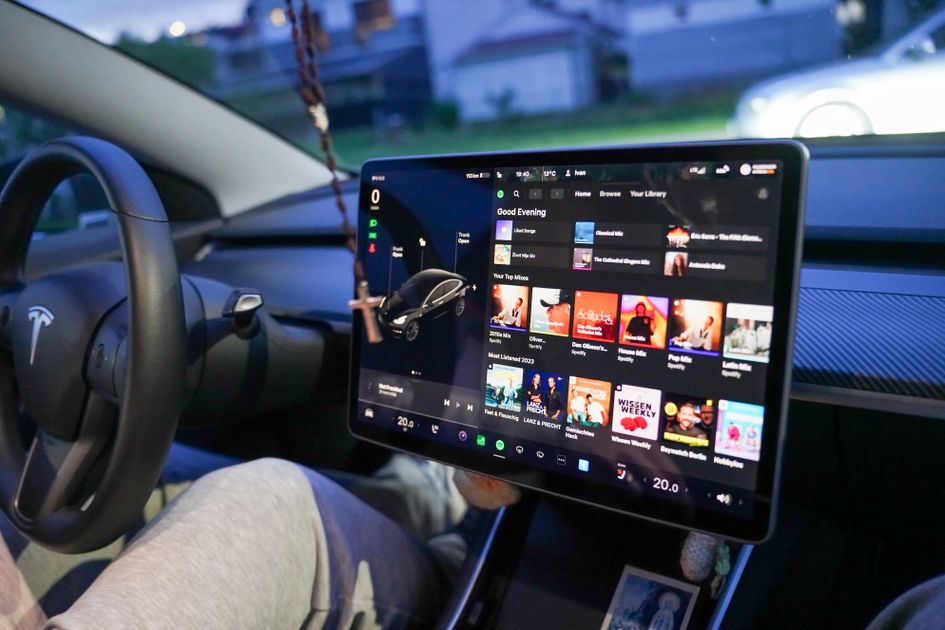
Tesla's in-car web browser has quietly been one of the most underused screens in the car. That changes with software update 2026.26, which ships four upgrades that turn the browser into a genuine entertainment and productivity tool: full-screen video on streaming sites, camera-based video calls, bookmarks that sync across vehicles, and a larger default zoom.
Not a Tesla App first documented the changes on August 27, 2026. The browser work rides along with the same 2026.26 Summer Update that earlier delivered Grok voice commands, Caraoke scoring, and automatic navigation — but on its own it closes gaps owners have complained about for years.
Full-Screen Video: The Browser Becomes a Streaming Hub
Streaming in a Tesla used to mean the curated list inside Tesla Theater — Netflix, YouTube, Disney+, and a handful of others. The 2026.26 browser goes further. Visit HBO Max, Prime Video, or other video streaming sites in the standard browser and it now switches to full-screen playback automatically, expanding what you can watch beyond Tesla Theater's built-in catalog.
One limitation is worth knowing: these sites still aren't part of Tesla Theater proper, so full-screen browser video only works on the front center screen. Rear-seat displays continue to support only Tesla Theater's built-in services.
Video Calls From the Driver's Seat
The browser can now request access to the cabin microphone and interior camera. Sites like Google Meet, Microsoft Teams, Discord, and Slack can use them for video calls directly in the browser — no workaround needed.
Two restrictions keep the feature safe. Camera access works only while the vehicle is parked, and every request triggers an on-screen prompt the driver can approve or reject. The feed is automatically cropped to frame the person in the driver's seat.
Previously, Zoom was the only service that could touch the interior camera, through a special borderless-browser mode. Tesla has now opened camera access to any web platform — a meaningful expansion for owners who treat their car as a mobile office. The feature requires AMD Ryzen hardware; older Intel Atom infotainment systems don't get it. You can test the setup at WebcamMicTest.com without signing in.
Bookmarks That Follow You Between Cars
Bookmarks now sync automatically across any Tesla that uses the same Tesla Profile — including a second vehicle you own, a rental, or a loaner. Favorites and frequently visited sites on the new-tab page are saved per driver profile. There's nothing to enable: if you use a Tesla Profile, the sync happens automatically.
A Readability Boost
The default browser zoom level was increased, so text and images render larger on any website. It's a small change with a side effect: responsive sites like X and YouTube may load a tablet- or mobile-style layout because the usable page area appears narrower.
| Browser Feature | What It Does | Requirements |
|---|---|---|
| Full-screen video | Auto full-screen on HBO Max, Prime Video, and more | Front center screen only |
| Camera & mic access | Video calls in the browser (Meet, Teams, Discord, Slack) | Parked only, AMD Ryzen |
| Bookmark sync | Bookmarks follow your Tesla Profile across vehicles | Active Tesla Profile |
| Larger default zoom | Bigger text and images on every site | All browsers |
Previously, Zoom was the only service with camera access — via a “borderless browser” — but Tesla has now opened this to any web platform.
The update also appears to refresh the underlying Chromium engine, fixing bugs and adding support for newer HTML standards, though Tesla hasn't confirmed that directly.
The Bottom Line for Tesla Owners
The 2026.26 browser upgrade is a reminder that Tesla still treats the car as a computing platform, not just a vehicle. Full-screen streaming and browser video calls cover two of the biggest entertainment and productivity gaps owners have asked about since the browser first shipped.
None of it requires a new car. If your Model 3, Model Y, Cybertruck, Model S, or Model X runs on an AMD Ryzen infotainment system, update 2026.26 delivers most of these features over the air — check the Tesla app under Software to confirm your version.
Photo: Tesla dashboard with entertainment options / Pexels